# Thay đổi CMND/CCCD/Họ tên

Để thực hiện cập nhật thông tin CMND/CCCD, Khách hàng có thể tự thực hiện trên app Entrade X theo hướng dẫn bên dưới:

Bước 1: Đăng nhập vào app Entrade X **->** Chọn **Menu ->** Chọn **Cá nhân**

<div align="center"><figure><img src="/files/fe51C3d2TalKoLrEALTx" alt=""><figcaption></figcaption></figure></div>

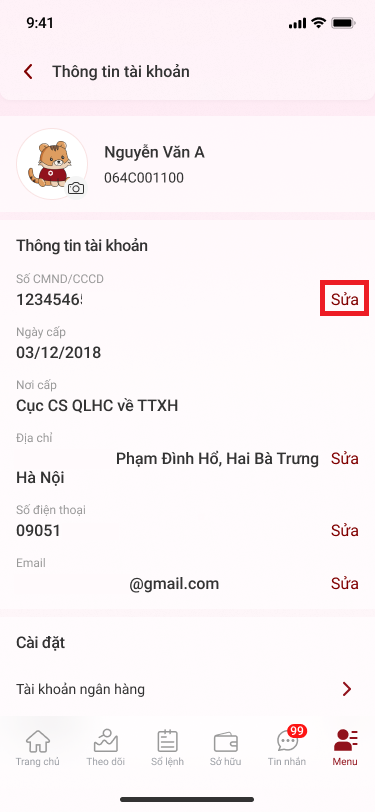
Bước 2: Tại phần **Thông tin tài khoản** mục **Số CMND/CCCD ->** chọn **Sửa**

<figure><img src="/files/smb6pZE6xWuKuqAYDBdP" alt=""><figcaption></figcaption></figure>

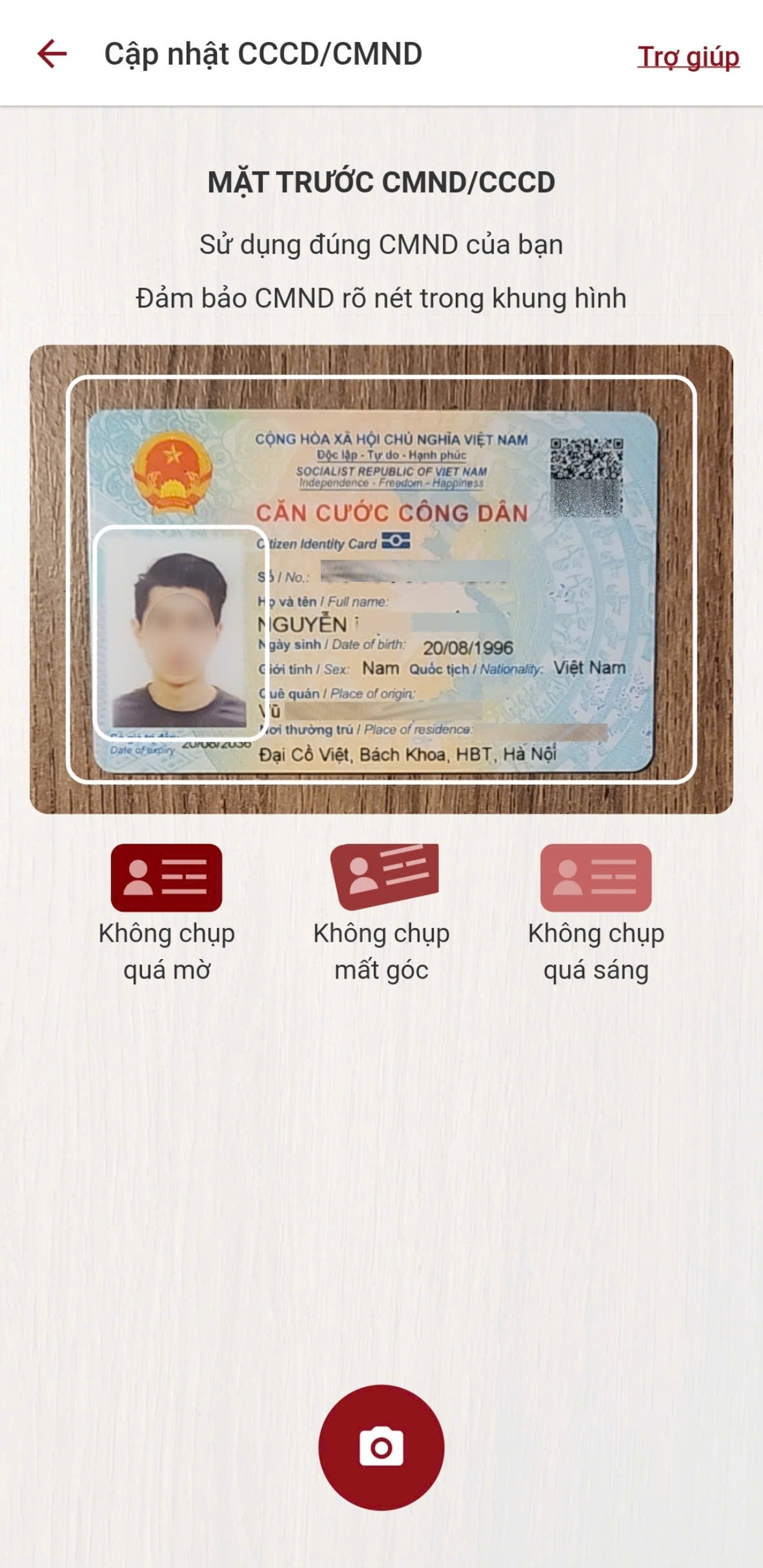
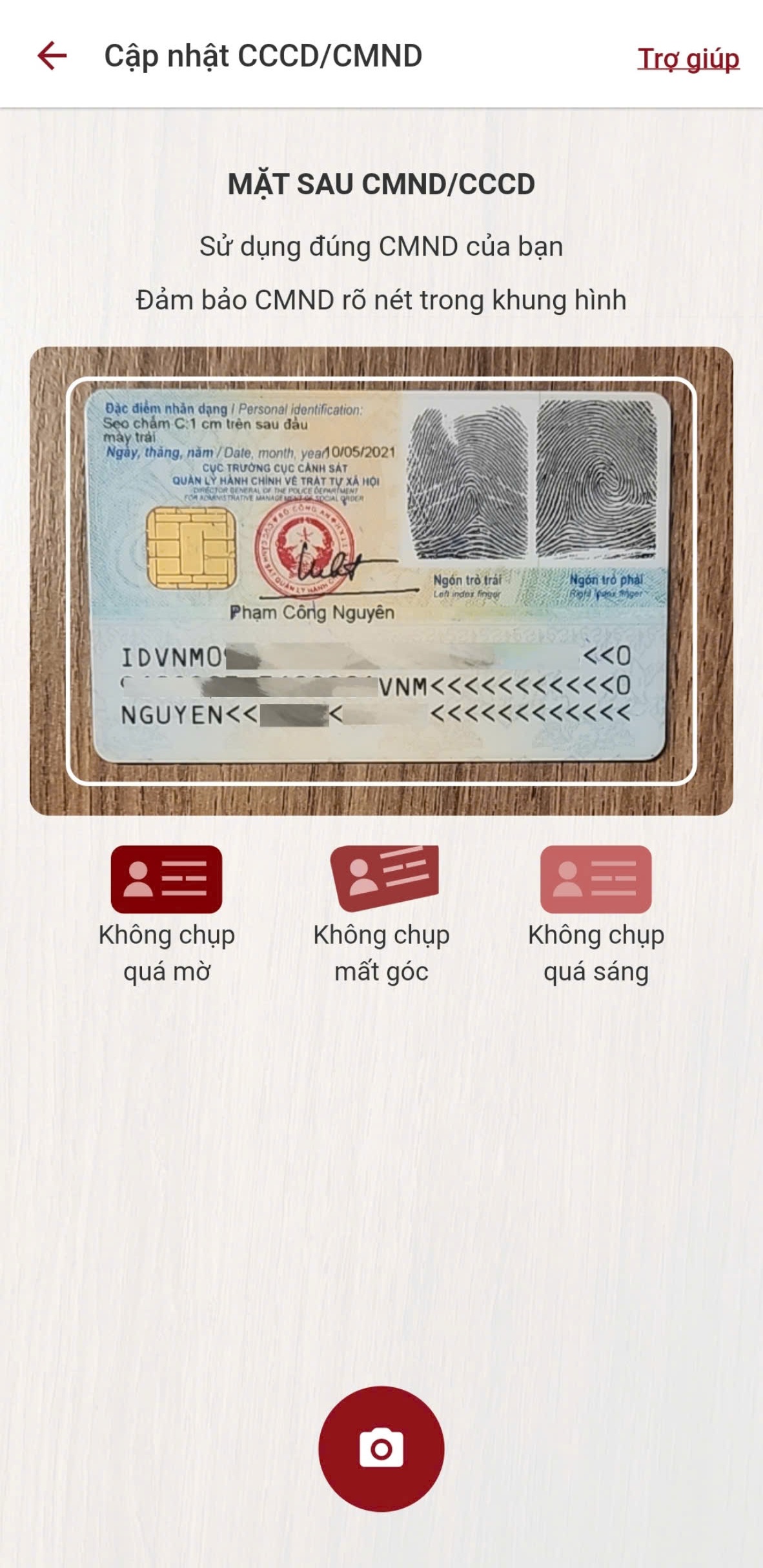
Bước 3: Chụp ảnh mặt trước và mặt sau CMND/CCCD

<div align="center"><figure><img src="/files/gxLXdXL9xYlHWiJw5gSd" alt=""><figcaption></figcaption></figure> <figure><img src="/files/nySzdA03Rd1iGcVfpKzV" alt=""><figcaption></figcaption></figure></div>

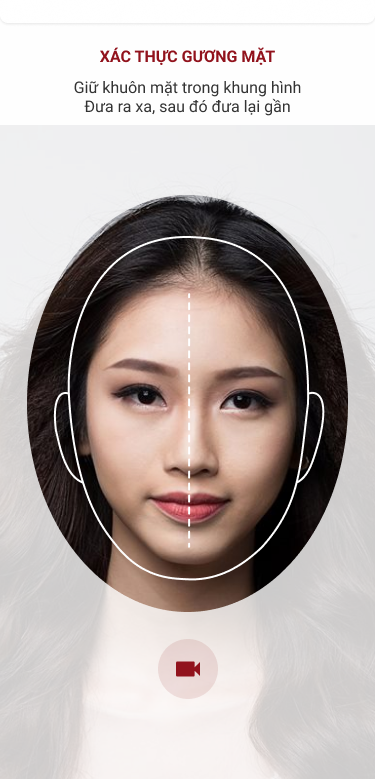
Bước 4: Chụp ảnh chân dung

<figure><img src="/files/BPbyqC6R2wNcMb1HL6YU" alt=""><figcaption></figcaption></figure>

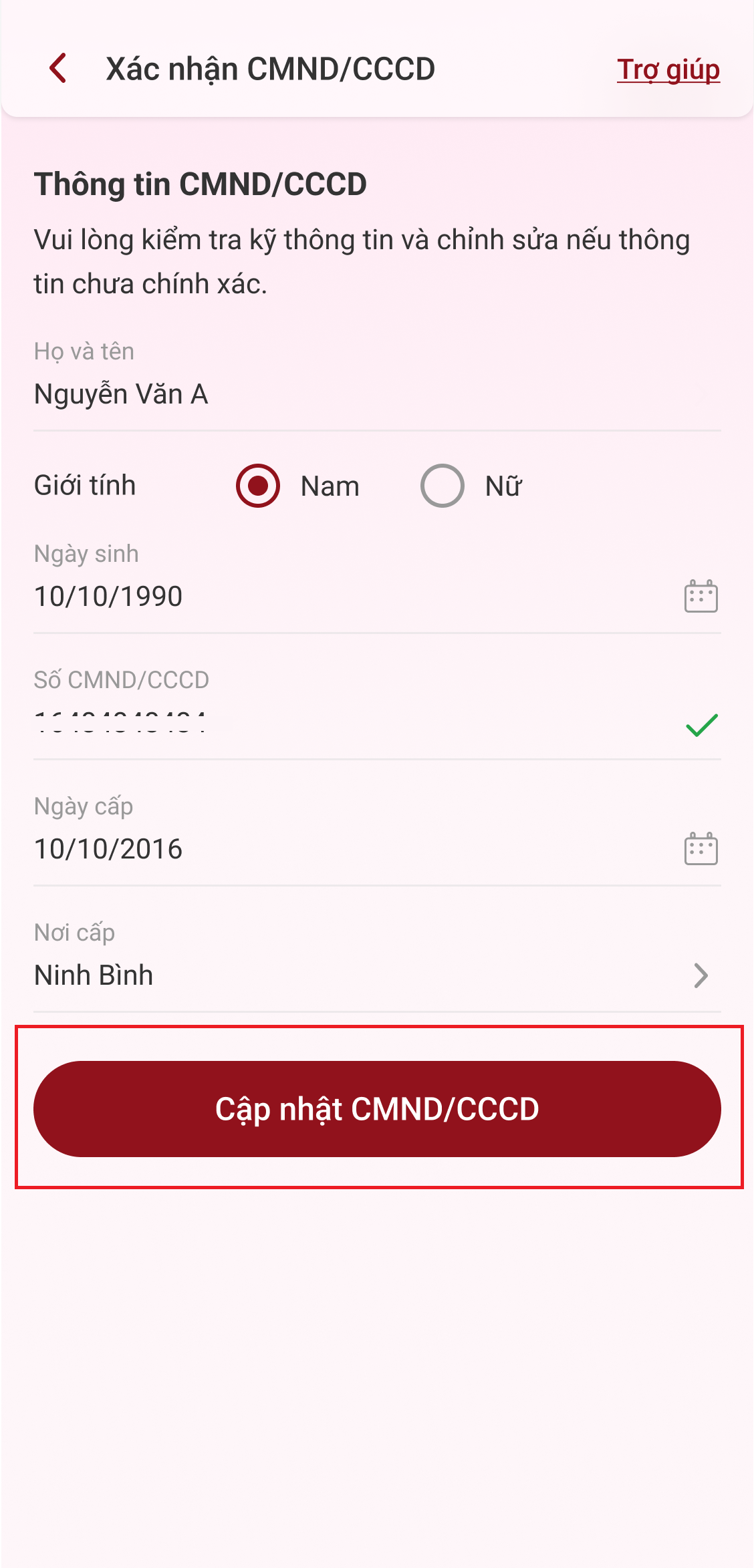
Bước 5: Kiểm tra thông tin và thực hiện điều chỉnh (nếu cần) **->** chọn **Cập nhật CMND/CCCD** **->** nhập mã **Smart OTP**

<div align="center"><figure><img src="/files/DUsnj8VN1L9TliqMtmWp" alt="" width="375"><figcaption></figcaption></figure> <figure><img src="/files/A4AJogYXyM8yxiGGsrEC" alt=""><figcaption></figcaption></figure></div>

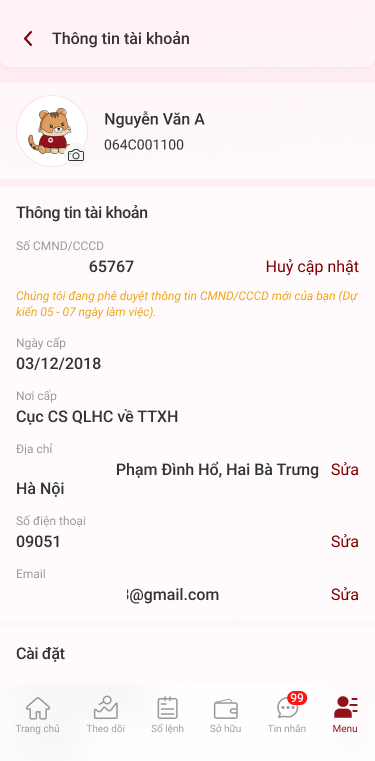
Bước 6: DNSE sẽ phê duyệt thông tin trong vòng 05-07 ngày làm việc. Hệ thống sẽ gửi thông báo kết quả thay đổi thông tin qua Email hoặc mục **Tin nhắn** trên app Entrade X.&#x20;

<figure><img src="/files/6j2ktuKPUkN8rGGx9gSZ" alt=""><figcaption></figcaption></figure>


---

# Agent Instructions: Querying This Documentation

If you need additional information that is not directly available in this page, you can query the documentation dynamically by asking a question.

Perform an HTTP GET request on the current page URL with the `ask` query parameter:

```
GET https://hdsd.dnse.com.vn/ho-tro-khac/thay-doi-thong-tin/1.-thay-doi-cmnd-cccd-ho-ten/thay-doi-cmnd-cccd-ho-ten.md?ask=<question>
```

The question should be specific, self-contained, and written in natural language.
The response will contain a direct answer to the question and relevant excerpts and sources from the documentation.

Use this mechanism when the answer is not explicitly present in the current page, you need clarification or additional context, or you want to retrieve related documentation sections.