> For the complete documentation index, see [llms.txt](https://hdsd.dnse.com.vn/llms.txt). Markdown versions of documentation pages are available by appending `.md` to page URLs; this page is available as [Markdown](https://hdsd.dnse.com.vn/san-pham-dich-vu/huong-dan-ban-dong-hanh-saco/10.-dnse_huong-dan-saco-gui-yeu-thay-doi-uy-quyen.md).
# 10. DNSE\_Hướng dẫn SACO gửi yêu thay đổi ủy quyền
HƯỚNG DẪN BẠN ĐỒNG HÀNH GỬI YÊU CẦU THAY ĐỔI ỦY QUYỀN
Bước 1: SACO đăng nhập vào tài khoản của mình ⇒ chọn **Hợp tác SACO** rồi chọn **Quản lý khách hàng**
Bước 2: Vào **Danh sách khách hàng** ⇒ chọn khách hàng muốn gửi yêu cầu ⇒ chọn xem chi tiết
* Click vào Icon
* Chọn **Xem chi tiết**
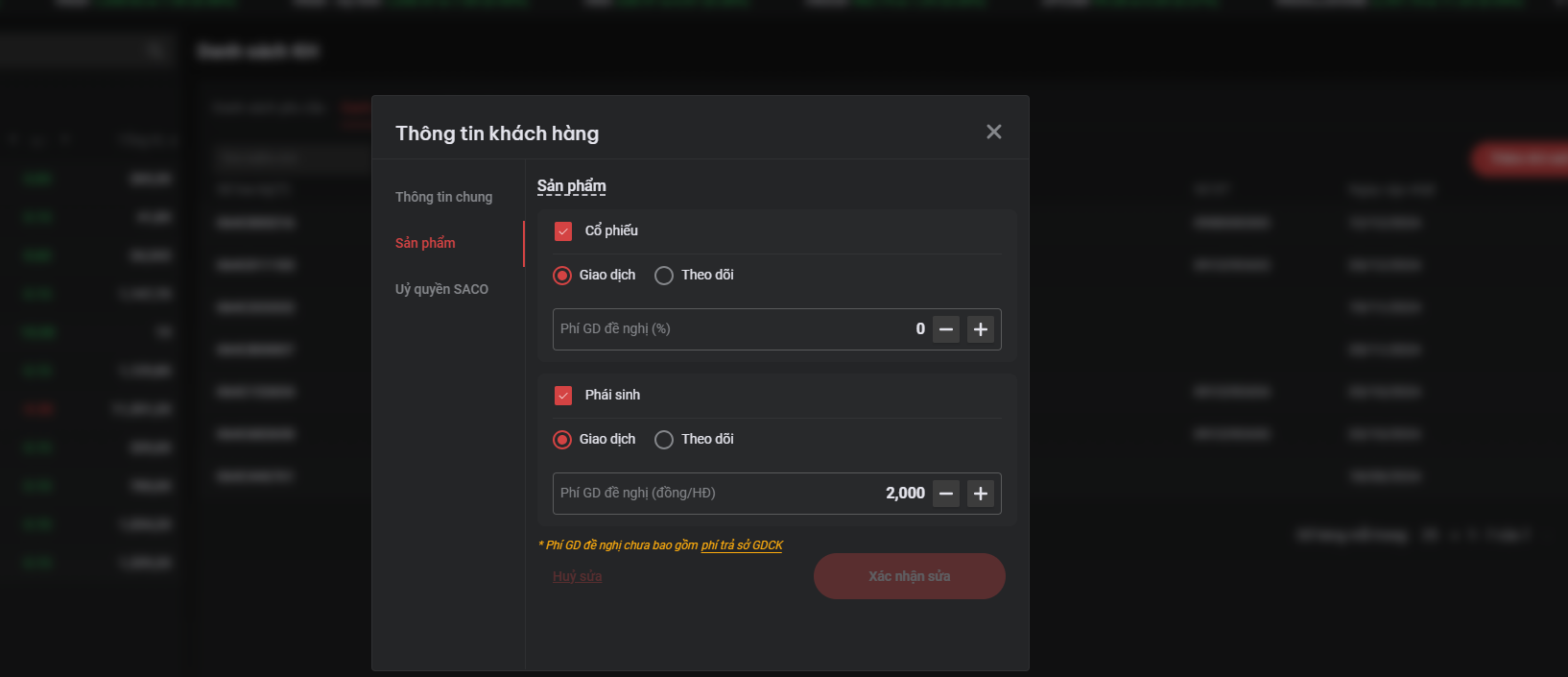
Bước 3: Chọn phạm vi ủy quyền, chính sách thay đổi ⇒ **Xác nhận sửa**
**Lưu ý:**
Mục phạm vi ủy quyền sẽ hiển thị phạm vi mà SACO đang được khách hàng ủy quyền.
Nếu khách hàng chưa đăng ký giao dịch phái sinh sẽ không hiển thị sản phẩm phái sinh
Bước 4: Đọc kỹ **“VĂN BẢN ỦY QUYỀN QUẢN LÝ TÀI KHOẢN”** mới ⇒ chọn **Xác nhận**
Bước 5: Điền OTP
Bước 6: Kiểm tra lại yêu cầu của mình trong trang **Danh sách yêu cầu** và thông báo với khách hàng để xác nhận yêu cầu